Building a Chat UI with el.js (Vanilla JavaScript Approach)
3 min read
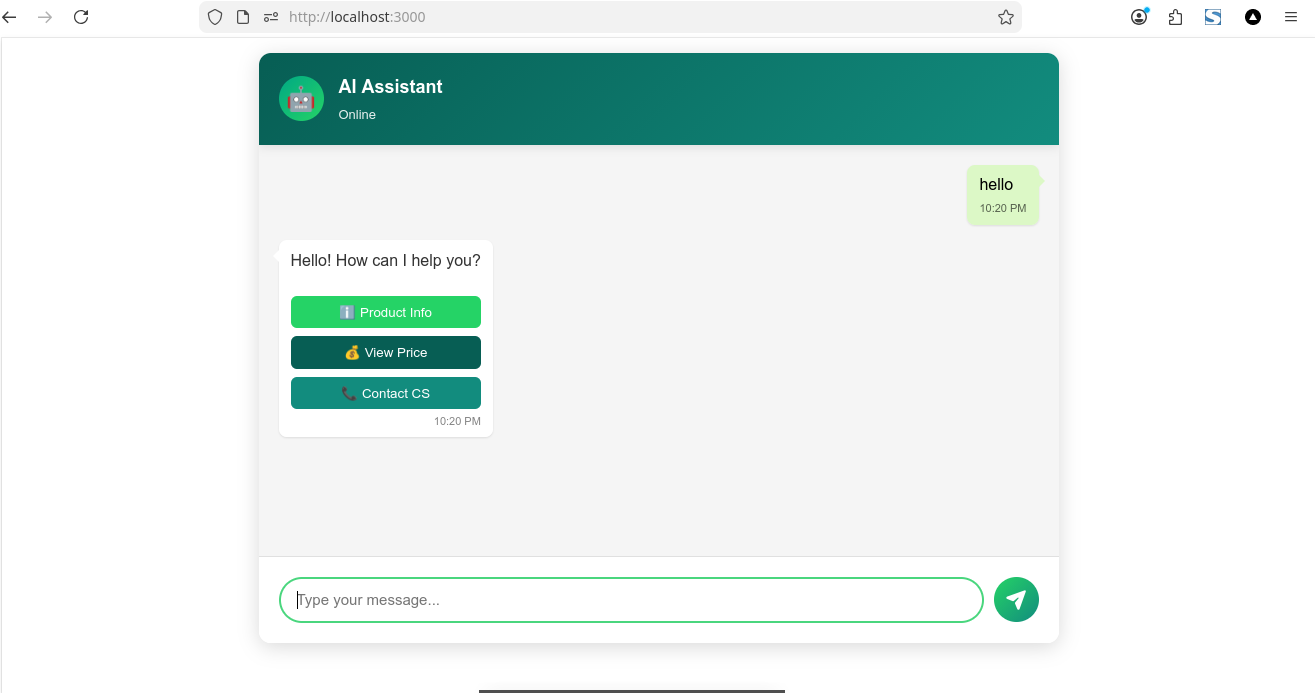
Today I built a lightweight and flexible Chat UI component using a modular vanilla JavaScript approach. The goal was to create something reusable, customizable, and easy to integrate into any project without relying on heavy frameworks.
The result is a Chat UI that supports both full-page and popup widget modes, along with features commonly found in modern chat applications.
For code you can look at my repo below:
Key Features
This Chat UI includes:
- Full page and popup modes
- Floating toggle button for popup mode
- Customizable theme (colors, layout, branding)
- Typing indicator animation
- Streaming response support
- Context-aware conversation handling
- Support for text, HTML, and custom components
- Built-in fallback responses (no backend required)
- Extensible via a simple onChat callback
For example to usage
Architecture Overview
The component is designed as a self-contained module that manages:
- Message state
- Rendering logic
- Input handling
- Response flow
- UI interactions
Internally, it maintains a simple message array and updates the UI whenever a new message is added.
Architecture Overview
The component is designed as a self-contained module that manages:
- Message state
- Rendering logic
- Input handling
- Response flow
- UI interactions
Internally, it maintains a simple message array and updates the UI whenever a new message is added.
Chat Modes
chat mode have 2 type, full and popup mode:
Full Mode
- Used for standalone chat pages
- Expands to fit a container
- Ideal for dashboards or dedicated chat screens
Popup Mode
- Displays as a floating widget
- Includes a toggle button in the bottom-right corner
- Can be opened and closed dynamically
Message Flow
The message lifecycle works as follows:
- User sends a message
- Message is added to the state
- UI is re-rendered
- Typing indicator is displayed
- Response is generated (via callback or fallback logic)
- Bot response is added and rendered
Streaming Support
The component supports streaming responses, allowing real-time updates as data is received:
This enables a more dynamic and interactive user experience, especially when integrating with AI APIs.
Conversation Context
The chat maintains a simple conversation history to allow context-aware responses. This helps in creating more natural interactions rather than isolated message replies.
Customization
The core logic is intentionally kept flexible so it can be extended for:
- AI chat integrations (OpenAI, Groq, etc.)
- Customer support systems
- Internal tools
- Embedded website widgets
You can plug in your own backend or AI service using the onChat hook.
If you like my content please suport me below :)
Support My Work
If you enjoyed this article, consider buying me a coffee to help keep the blog running!
Buy Me a Coffee