Build a Simple Todo App with JavaScript (No Framework)
4 min read
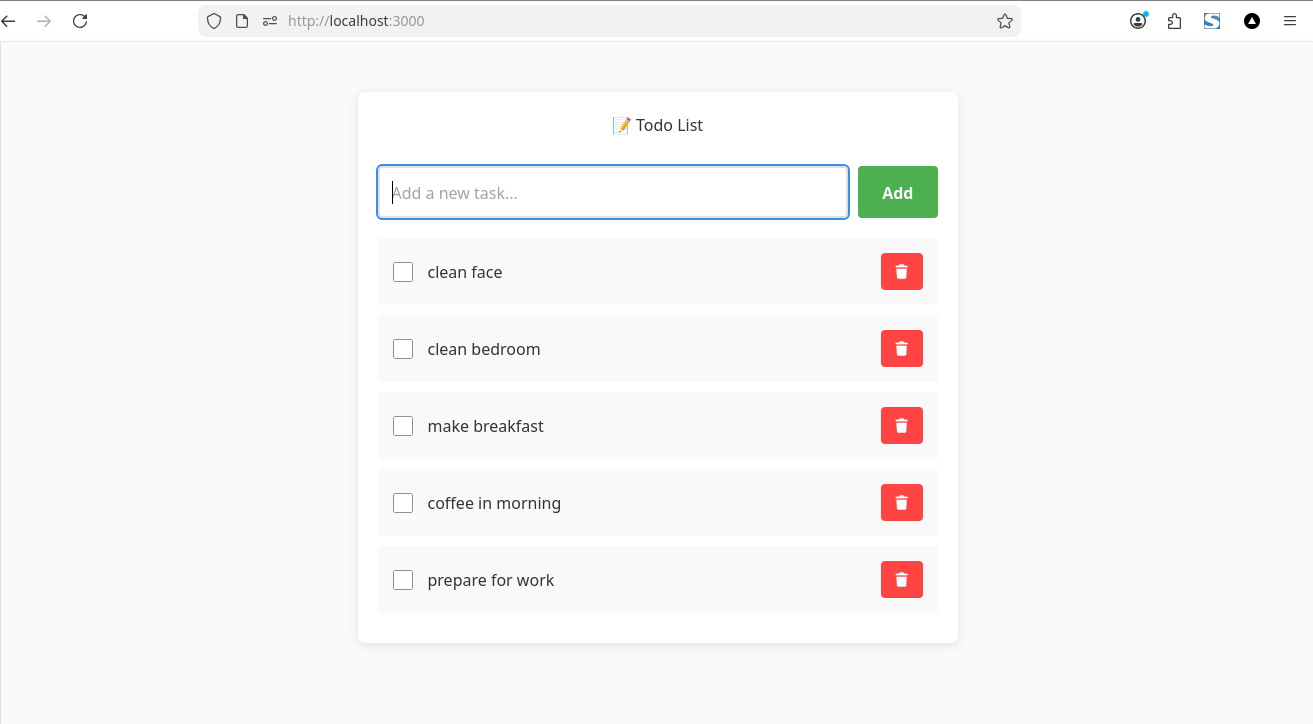
In the previous post, I introduced el.js, a lightweight JavaScript helper for building UI without relying on frameworks.
Now, let’s build something real.
In this article, we’ll create a simple Todo List App using pure JavaScript — no React, no Vue.js, and no external dependencies. you can look code at github
🎯 What We’re Building
We’ll build a minimal todo app with:
- Add new tasks
- Mark tasks as completed
- Delete tasks
- Dynamic UI updates
All using a simple, chainable API.
Step 1: we start from the basic structure
Instead of manually creating elements withdocument.createElement, we use el() to keep things clean and readable.
Step 2: Handling State
We store todos in a simple array:
No complex state management. Just plain JavaScript.
Step 3: Adding a Todo
Simple and predictable.
Step 4: Rendering the UI
No virtual DOM. No diffing. Just direct DOM updates.
Step 5: Toggle & Delete
Why This Approach?
Modern frameworks are powerful, but they’re not always necessary.
With el.js, we can:
- write less boilerplate
- stay close to native JavaScript
- avoid build steps and dependencies
Real-World Usage
This isn’t just a demo.
This blog — including its admin panel — is built entirely using el.js without any frontend framework.
Key Takeaways
- You don’t always need a framework
- Simple tools can go a long way
- Understanding the DOM is still valuable
In the next article, we’ll build plug-and-play UI components — starting with a simple popup and chat interface — designed to be easily reused in any project.
Support My Work
If you enjoyed this article, consider buying me a coffee to help keep the blog running!
Buy Me a Coffee